See & Solve Trivia Game Show
Hoyt GamesWord
4.8439.00 Reviews
- Version
- 1.9
- Installs
- 10.00K
- Age Rating
- Everyone
Screenshots
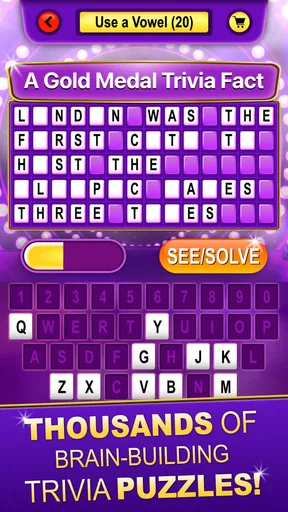
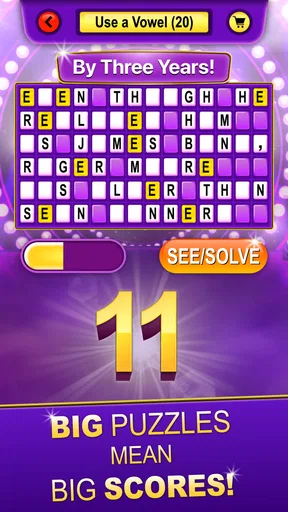
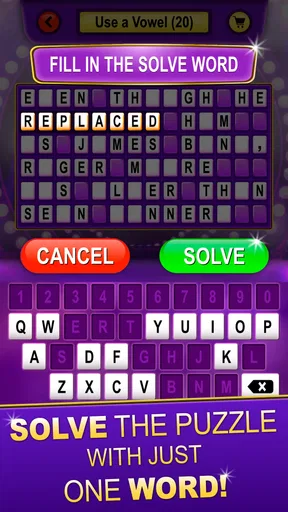
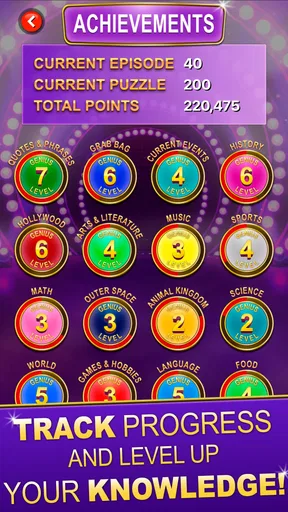
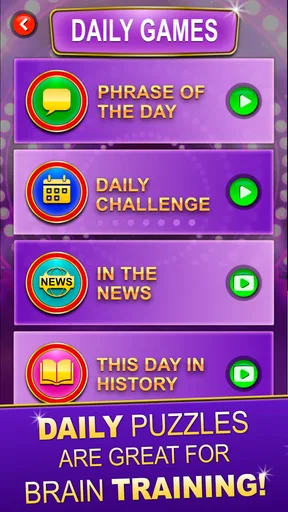
Our Review of See & Solve Trivia Game Show
 Analysis by Appyee
I first noticed See & Solve Trivia Game Show because it promises a different kind of word-game session: not a long campaign, not a complicated puzzle board, but a quick mental challenge built around trivia. After spending time with it, I found that its strongest quality is how easily it fits into a shared moment. One person can pick up the phone, another can read along, and the room can start debating an answer almost immediately.
That makes it especially interesting for households that want something light to play together without setting up a console or passing around a collection of cards. It is a free word game from Hoyt Games, rated for Everyone, and it runs on Android devices using version 6.0 or later. The presentation is approachable, while the questions give the game enough substance to feel more rewarding than simply guessing random words.
How See & Solve works in a shared household moment
The title says a lot about the basic rhythm. You see a prompt, think through the clue, and solve it. The experience feels closer to a compact game-show round than to a traditional crossword or a large trivia database. That distinction matters because the game is easiest to enjoy when you treat it as a short challenge rather than a serious study tool.
I can imagine using it after dinner, while waiting for someone to finish getting ready, or during a quiet break when everybody wants to do something together but nobody wants to commit to a full board game. The phone can stay in one person’s hands while the others suggest possibilities. Even when the group disagrees, that disagreement becomes part of the entertainment.
For a shared device, the most practical approach is to make one person the reader and let everyone else answer aloud. This avoids the awkwardness of passing the phone after every prompt and keeps the pace moving. It also makes the game work for people who are not equally comfortable using a touchscreen. A younger player can contribute an answer without needing to navigate the interface, while an older relative can join the discussion without learning a new control scheme.
That setup also reveals one of the game’s limits. It is not automatically a full multiplayer event simply because several people are in the same room. The social part comes from your group, your turn-taking, and your agreement about how to handle answers. If you want formal player profiles, a visible scoreboard for several participants, or a structured online match, a dedicated multiplayer trivia game may suit you better.
Still, I like the flexibility. A solo player can work through a challenge privately, while a household can turn the same kind of prompt into a conversation. The game does not need a large audience to be worthwhile, but it benefits from one when the subject matter sparks different kinds of knowledge.
Why the word-game format changes the experience
Many trivia apps are built around rapid-fire multiple-choice questions. That format is easy to understand, but it can encourage quick elimination rather than careful thinking. See & Solve feels more appealing when you want to reason from the wording of a clue and arrive at an answer, rather than simply recognize the best option among several choices.
That makes the game a useful middle ground between a quiz and a word puzzle. Someone who enjoys vocabulary challenges may appreciate the act of interpreting the wording, while a trivia fan can focus on recalling facts. The balance is not identical for every player: a person with broad general knowledge may move quickly, while someone who prefers pure wordplay may find certain prompts dependent on background knowledge.
My advice is to pay attention to the wording before reaching for the first answer that comes to mind. In a shared session, I would also ask everyone to explain why they chose an answer. That turns a correct response into a small learning moment and makes an incorrect response less frustrating. The explanation often creates more conversation than the answer itself.
Setting boundaries before passing the phone around
Because the game is easy to start, a little household coordination helps. I would decide in advance whether the group is playing cooperatively or competing. In cooperative play, everyone works toward solving each clue. In competitive play, players can take turns suggesting answers, but the rules need to be agreed on by the group because the app itself should not be assumed to manage every social detail for you.
A simple method is to choose a host for one session. The host holds the phone, reads the prompt, and confirms when the group is ready to move on. Another person can act as the timekeeper if the household enjoys pressure, but I would avoid inventing a strict limit unless everyone finds that fun. The game is more welcoming when players can discuss a difficult clue instead of feeling punished for thinking.
This is also where account boundaries matter. I would not treat one shared device as proof that every person has a separate progress space. If several household members care about keeping individual results distinct, decide whose session is being played before starting and avoid mixing personal use with group use. That small habit prevents confusion later, particularly when one person wants a quiet solo challenge and another wants to use the phone for a family round.
The same principle applies to children. Since the content rating is Everyone, the game is positioned for a broad audience, but that does not mean every question will be equally easy or equally interesting for every age. A child may know an answer an adult misses, while the reverse can be just as true. I would use the age rating as a helpful starting point, then stay involved if younger players are joining a group session.
There is no need to turn this into a formal household policy. The useful boundary is simply knowing who is playing, whether the session is shared, and how much help is welcome. That keeps the game friendly instead of turning a casual quiz into an argument about whose answer counts.
Keeping turns fair without slowing the game
Fairness is easiest when the host reads the prompt once and gives everyone a moment to think before anyone calls out an answer. If one person is much faster, ask that player to explain the reasoning rather than immediately announcing the solution. This gives quieter players room to participate and makes the session feel less like a contest dominated by the quickest speaker.
For mixed-age groups, I would alternate who gets the first guess. That avoids letting the same confident player take over every round. Another good option is to let the youngest participant choose the first answer on one prompt and the oldest participant on the next. These are not built-in features; they are household methods that make a simple game work better for more people.
A useful trade-off appears here. The more discussion you allow, the more social the experience becomes, but the less it resembles a fast game-show round. If your group enjoys lively debate, take the time. If everyone prefers momentum, keep explanations short and move along after a reasonable attempt. See & Solve supports both styles because its appeal is in the prompt-and-solution loop, not in a complicated rule set.
Using the game with different ages and confidence levels
The Everyone rating makes this easier to introduce in a household, but age suitability and difficulty are not the same thing. A game can be appropriate for children while still presenting clues that are unfamiliar to them. I would avoid treating a wrong answer as a sign that a player is too young or not good at trivia. In a shared session, the better response is to discuss the clue and move on.
For children who are still building reading confidence, the shared-reader approach is especially useful. An adult or older sibling can read the prompt aloud, while the child contributes from memory or from the wording. This turns the game into a conversation instead of a test. It also prevents the interface from becoming the main obstacle.
Adults who dislike trivia competitions may still enjoy the word-focused side, but only if the group keeps the tone relaxed. A player who feels embarrassed by public mistakes is unlikely to enjoy a high-pressure format. I would recommend cooperative play for that person, with the group treating each clue as a joint puzzle rather than a measure of intelligence.
On the other hand, expert trivia players may find the experience too light if they are looking for deep specialization, elaborate scoring, or a large competitive ecosystem. The game is better for accessible general challenge than for serious tournament preparation. That is not a flaw, but it is an important expectation to set before installing it.
What I liked after repeated household sessions
The biggest strength is the low commitment. I did not need to plan a long session or learn a complicated system before getting value from it. The game’s core idea is clear enough that a new participant can understand the activity by watching one prompt being read.
I also appreciate the way it encourages people to think aloud. In many mobile games, one person plays while everyone else watches passively. Here, a nearby person can contribute useful knowledge even without touching the screen. That makes it more suitable for a kitchen table or living-room setting than many word games that require constant individual input.
Another practical strength is its position between familiar categories. It is not merely a crossword replacement, because the trivia element changes what you need to know. It is not just a multiple-choice quiz, because solving depends more on interpreting the prompt. If you enjoy both wordplay and general knowledge, that combination gives the game a clear identity.
The developer, Hoyt Games, has also made the concept easy to understand from the first launch. The store summary describes the goal as training your brain for a game-show-style trivia experience, but in practice I found the appeal less about “training” and more about creating a repeatable mental warm-up. I would use it before a longer game night, during a break, or whenever the household wants a small challenge without preparing anything.
Its public reception is encouraging: it holds a 4.8 average from around eight hundred ratings and has more than four hundred written reviews. It has also passed ten thousand installs, which gives it a modest but meaningful user base. Those figures do not replace personal taste, but they suggest that the straightforward format is connecting with people who want an accessible trivia game.
Where the experience may frustrate you
The same simplicity that makes the game approachable can make it feel limited to players who want a deeper progression system. If you expect extensive customization, a large social layer, or a detailed record of every household member’s performance, you may find the experience too spare. I would choose a more feature-heavy trivia alternative when long-term competition is the main reason for playing.
Shared-device play also requires human organization. The app should not be treated as a substitute for deciding who is answering, whether hints are allowed, or how disagreements are settled. That is manageable for a friendly group, but it can become friction if one person wants a formal competition and another wants casual collaboration.
The game may also be a poor fit for someone who wants a purely visual puzzle. Its identity is tied to reading, interpreting, and recalling information. Players who prefer matching shapes, arranging letters without trivia knowledge, or solving logic grids may be happier with another word-game style.
Finally, the free price makes trying it easy, but it can also create a different expectation: some people will assume that a free game should provide endless novelty. I would approach it as a compact repeatable activity. Its value comes from how often your household enjoys the format, not from treating it as an enormous all-purpose entertainment library.
My recommendation for a household download
I recommend See & Solve Trivia Game Show to households that want a gentle, conversation-friendly word game. It is particularly good when one phone needs to serve several players, when ages and knowledge levels vary, or when the group wants something that can begin and end without a major time commitment.
Before starting, choose whether the goal is cooperation or competition, decide who will read, and make room for slower players to think. Those three choices have more impact on the quality of a shared session than any scoring method. If a child or less confident adult is joining, read the prompts aloud and treat wrong answers as part of the discussion rather than a failure.
I would skip it if your priority is formal online multiplayer, deep statistics, specialized trivia, or a highly structured progression system. A traditional crossword app is better for pure vocabulary practice, while a dedicated quiz platform may be stronger for organized competition. See & Solve is at its best in the space between those options: a compact trivia-and-word challenge that works alone but becomes more memorable when people talk through it together.
The current version is 1.9, and the game is free to try on compatible Android devices. My final view is positive, with one clear condition: approach it as a flexible shared activity rather than a complete household gaming platform. When used that way, See & Solve Trivia Game Show gives a family or group of friends an easy reason to pause, think, and compare what each person knows.
Verdict
Strengths of See & Solve Trivia Game Show
- Fast-paced rounds keep matches engaging and easy to replay.
- Simple controls make it accessible for casual players.
- Trivia categories offer variety across different knowledge areas.
- Competitive scoring adds excitement for players who enjoy challenges.
- Short sessions fit well into quick breaks or commutes.
Limitations of See & Solve Trivia Game Show
- Some questions may feel repetitive after extended play.
- Difficultly can vary noticeably between trivia categories.
- Players may encounter interruptions from ads between rounds.
- Limited content may reduce long-term appeal for frequent players.
- An internet connection may be required for some game features.
Other Releases by Hoyt Games
View All
Word Search World Hollywood
Word4.8
Similar Picks in This Category
View All
Word Search - Word Puzzle Game
Bluetile4.8

Word Search Quest - Puzzles
Blackout Lab4.8

CodyCross: Crossword Puzzles
Fanatee, Inc.4.7

Words of Wonders: Crossword
Fugo Games4.9

Wordscapes: Word puzzle game
PeopleFun4.7

Word Search Explorer
PlaySimple Games4.9
Frequently Asked Questions
What is See & Solve Trivia Game Show?
See & Solve Trivia Game Show is a quiz-style mobile game built around short trivia challenges and a television game-show atmosphere. Players answer questions across different topics, test their general knowledge, and try to improve their score over successive rounds. The experience is designed for casual play, although some questions can become surprisingly difficult as the challenge increases.
How does the gameplay work?
Gameplay generally consists of reading a trivia question, selecting an answer from the available options, and moving through a sequence of questions or rounds. You need to balance speed with accuracy, since guessing too quickly can cost a potential correct answer. The game-show presentation helps make each session feel more engaging than a basic quiz, while the short format makes it suitable for quick play.
Does See & Solve Trivia Game Show require an internet connection?
An internet connection may be needed for some features, depending on the version installed and how the game delivers its questions, advertisements, updates, or online functions. Basic quiz content may be available during certain offline sessions, but users should not assume that every feature will work without connectivity. Checking the store description and testing the app after installation is recommended.
Is See & Solve Trivia Game Show free to download and play?
The game may be available as a free download, but free access can include advertisements, optional purchases, or restrictions on certain content and features. Before starting, review the listing on Google Play or the App Store for current pricing and in-app purchase information. Parents should also check device purchase settings if children will be playing, especially when payment details are saved.
Who would enjoy See & Solve Trivia Game Show?
See & Solve Trivia Game Show is best suited to players who enjoy general-knowledge quizzes, quick challenges, and competitive game-show-style entertainment. It can be played casually alone and may also work well as a conversation starter with friends or family. However, users looking for deep strategy, action gameplay, or extensive story content may find the experience relatively simple and focused mainly on answering questions.
Play our best games!


